
Minutes
Decisions and action items at a glance.
Tsugra turns the transcript into minutes: topics, what was discussed, decisions, action items with owners and due dates, and open questions. Minutes are part of the Meeting option and Pro.
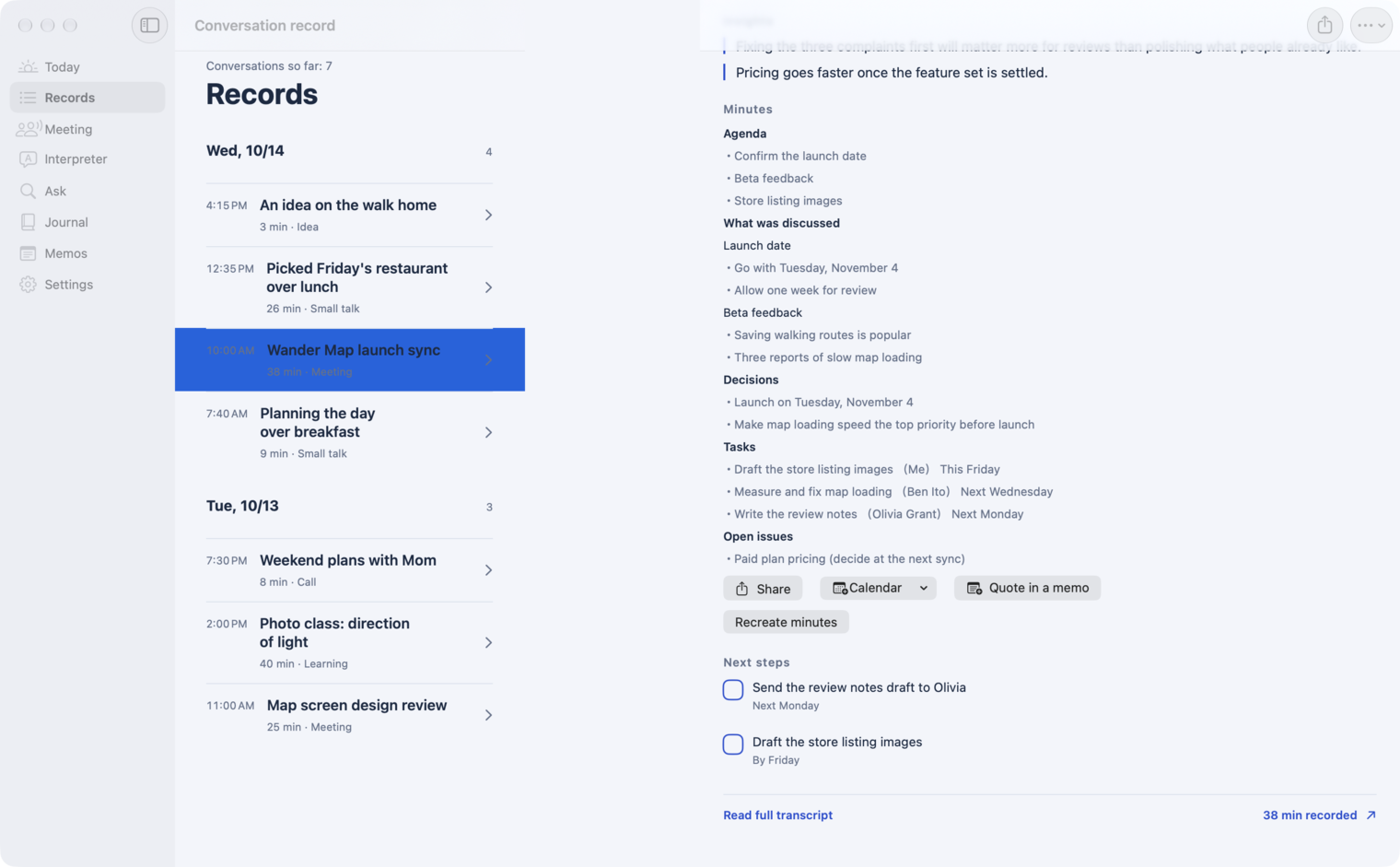
Meeting minutes
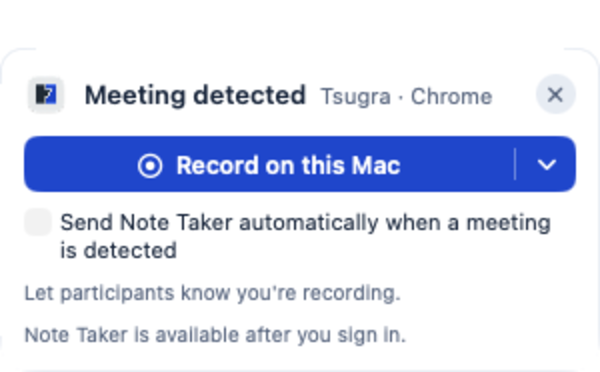
When a meeting starts on your Mac, click “Record on this Mac.” Tsugra keeps your voice and theirs apart, then turns the meeting into minutes: topics, decisions and action items.
Recording and transcription are free. Minutes need the Meeting option (from ¥480/month) or Pro.
Conversations and records on screen are fictional demo data.
Tsugra turns the transcript into minutes: topics, what was discussed, decisions, action items with owners and due dates, and open questions. Minutes are part of the Meeting option and Pro.
When a Zoom or Google Meet call starts, your Mac notices and shows a prompt in the top-right corner. Click “Record on this Mac” to record your microphone (you) and the Mac’s audio (them) separately. Recording and transcription are free.
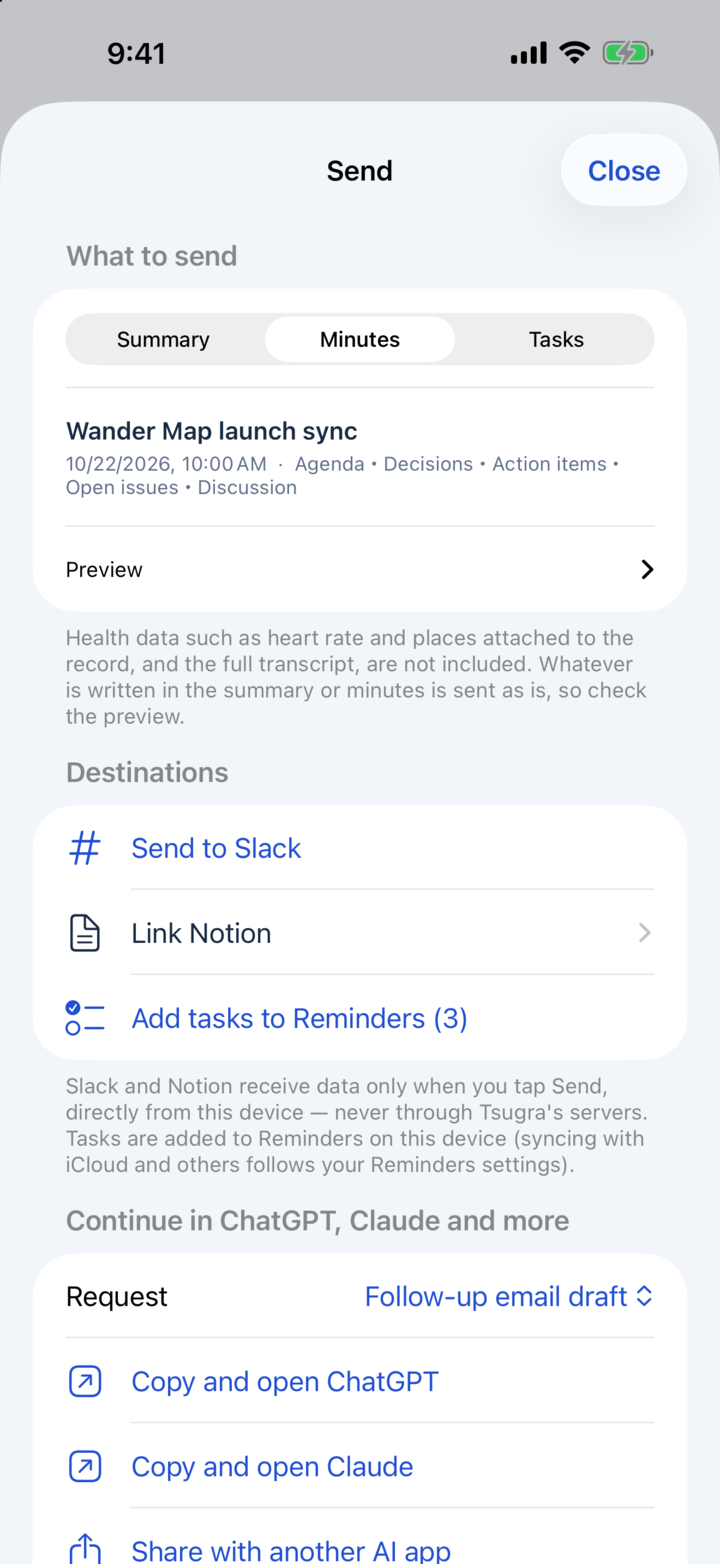
Send minutes, summaries and action items to Slack, Notion or Reminders, or hand them to ChatGPT or Claude for a follow-up. Nothing is sent until you tap Send.
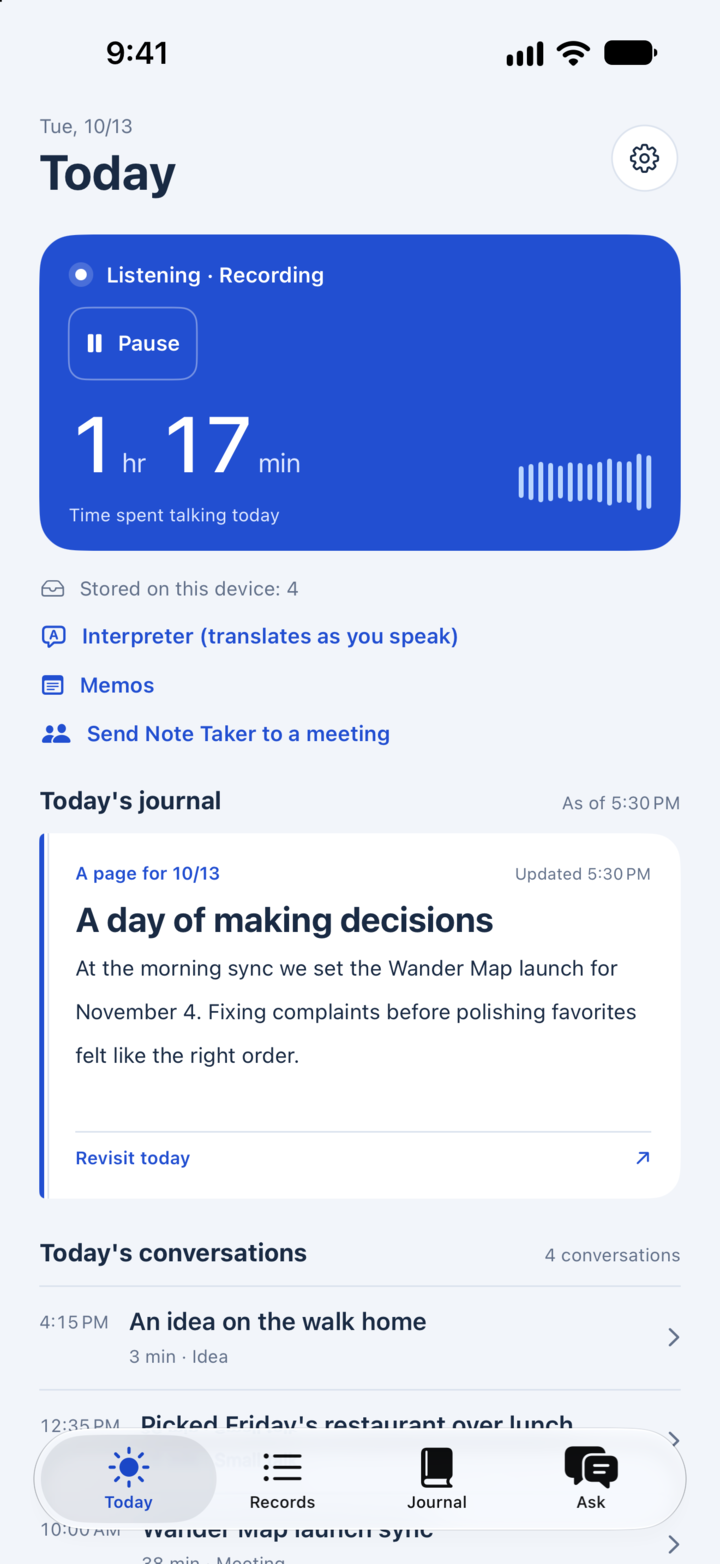
The Note Taker joins Google Meet, Zoom or Teams and records for you, including meetings it joins automatically from your calendar. It uses the hours included in Pro, or an hour pack.
Plans
Recording meetings on Mac with your voice and theirs kept apart, transcription, summaries (on Apple Intelligence devices), and sending to Slack or Notion.
Cloud summaries (600 a month) and Ask, which answers questions about your records (100 a month).
Minutes (100 a month with the Meeting option) and interpreting. Pro adds Note Taker hours (10 a month, or 20 with Pro 20).
Yes. Recording on Mac (your voice and theirs kept apart) and on-device transcription are free and work without an account. Minutes need the Meeting option (from ¥480 a month) or Pro.
When you record on your Mac, Tsugra records the Mac’s microphone and audio, whatever meeting app you use. The Note Taker joins Google Meet, Zoom and Teams.
“Record on this Mac” records on your Mac only and shows nothing in the meeting app. Tell the participants and get their agreement before you record. The Note Taker appears as a participant.
Topics, what was discussed, decisions, action items (owner and due date) and open questions. You can share them, add them to Google Calendar, quote them in a note, or send them to Slack or Notion.
Get Tsugra
For iPhone, Apple Watch and Mac.
Open this page on iPhone
tsugra.com/en/use/meeting-minutes#download