
Pricing
Start free.
Make it your own.
Web prices are about 10% lower than App Store prices. Your plan works in the iPhone and Mac apps.
No sign-in is needed to buy on the web. After you pay, you’ll see a code. Enter it in the app under Settings → Plans and purchases → Use a plan purchased on the web, and the plan is added to the account you’re signed in with. Subscriptions renew automatically. Cancel at any time.
| Plan & features | App Store | Web |
|---|---|---|
| FreeOn-device summaries. Ask: 10 queries/month. | App Store ¥0 / month ¥0 / year | Web ¥0 / month ¥0 / year Get started free |
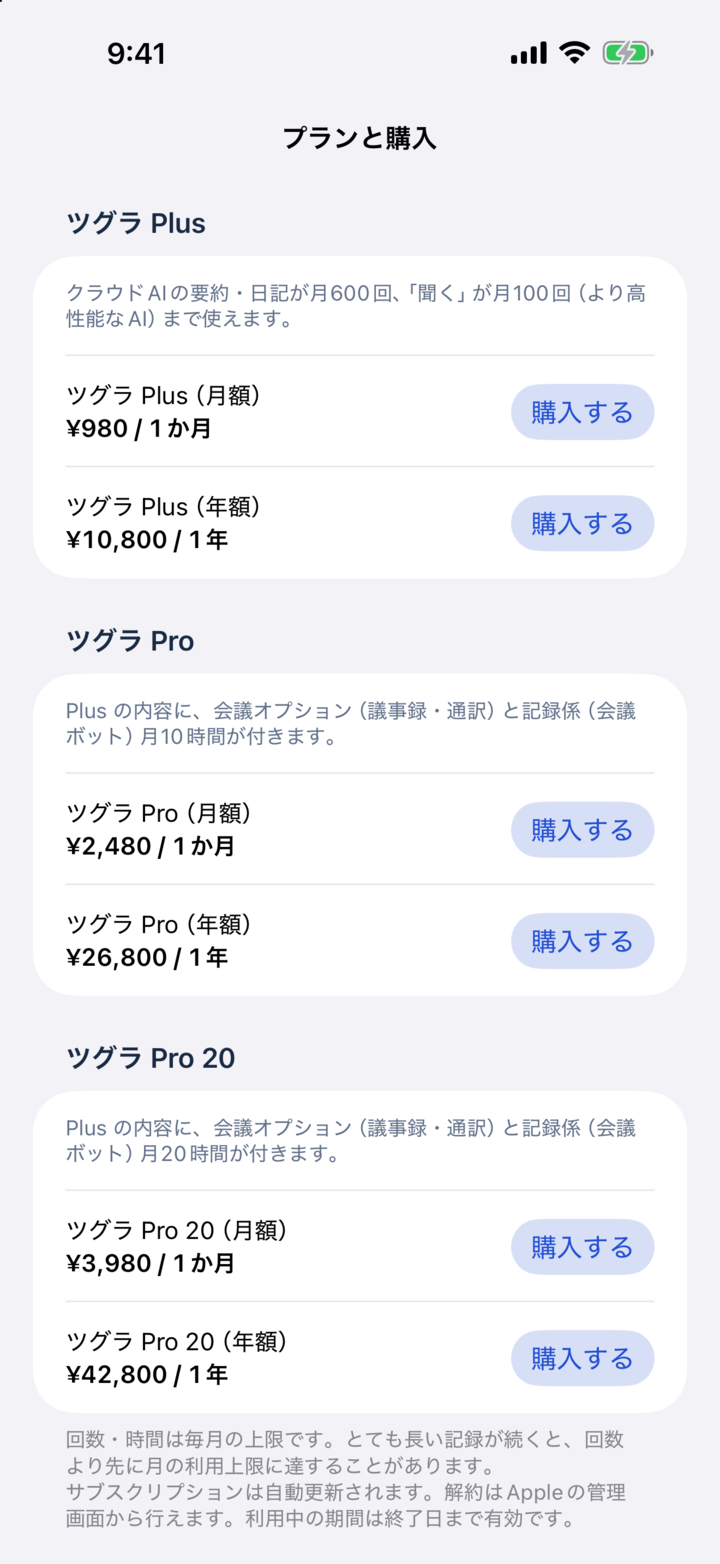
| PlusAI summaries & diary: 600 uses/month. Ask: 100 queries/month. | App Store ¥980 / month ¥10,800 / year | Web ¥880 / month ¥9,700 / year Buy monthly Buy yearly |
| ProEverything in Plus, plus meeting minutes, interpretation and 10 meeting bot hours/month. | App Store ¥2,480 / month ¥26,800 / year | Web ¥2,230 / month ¥24,100 / year Buy monthly Buy yearly |
| Pro 20Everything in Plus, plus meeting minutes, interpretation and 20 meeting bot hours/month. | App Store ¥3,980 / month ¥42,800 / year | Web ¥3,580 / month ¥38,500 / year Buy monthly Buy yearly |
| Meeting add-onMeeting minutes: 100 uses/month, plus interpretation. | App Store ¥480 / month ¥4,800 / year | Web ¥430 / month ¥4,300 / year Buy monthly Buy yearly |
| Meeting bot time pack1 hour · Valid for 365 days | App Store¥200 | Web¥180 Buy on the web |
| Meeting bot time pack5 hours · Valid for 365 days | App Store¥800 | Web¥720 Buy on the web |
After you buy on the web
- Choose a plan and pay on Stripe’s checkout page. No sign-in needed.
- The confirmation page shows an 8-character code and an Open in Tsugra button.
- Sign in to Tsugra on iPhone or Mac, go to Settings → Plans and purchases → Use a plan purchased on the web, and enter the code. The plan is added to that account.
Each code works once, within 30 days of payment. The confirmation page shows the code for 24 hours—keep a copy.
View the actual in-app plan screen (Japanese)
A few things to know.
Can I use a web purchase in the apps?
Yes. You don’t need to sign in to buy on the web. After payment, you’ll see an 8-character code and an Open in Tsugra button. While signed in to the app, go to Settings → Plans and purchases → Use a plan purchased on the web and enter the code. The plan then works on that account in the iPhone and Mac apps.
Can I cancel my subscription?
Subscriptions renew automatically and can be canceled at any time. If you bought through the App Store, cancel in Apple’s subscription settings. If you bought on the web, go to Settings → Plans and purchases → Manage web plan in the app. Meeting bot time packs are valid for 365 days.
What if I buy on both the App Store and the web?
The higher plan applies. You are charged for each purchase separately, so please avoid buying twice.
I didn’t save the code from the confirmation page.
The confirmation page shows the code at the same URL for 24 hours after payment. After that, email support@tsugra.com with the email address you used to pay.
Get Tsugra
Begin with today.
For iPhone, Apple Watch and Mac.
Open this page on iPhone
tsugra.com/en/pricing#download